Get Session Token
To interact with Amberflo via the API, UI Kit, or AmberfloSDK, you first need to create a session token.
The recommended approach is to retrieve this token from an endpoint on your server. On the client side—especially in single-page applications built with frameworks like React—you can then use the browser’s fetch function to request the token.
This setup ensures security and smooth integration between your frontend and Amberflo services.
For more information check out the API Reference
This example shows how to create the server endpoint that serves the client secret:
const express = require('express');
const app = express();
const request = require('request');

app.get('/amberflo-session', async (req, res) => {
  request({
    method: 'POST',
    uri: 'https://app.amberflo.io/session',
    body: {
      "customerId": "{{DESIRED_CUSTOMER_ID}},
      "expirationEpochMilliSeconds": {{EXPIRATION_DATE_IN_MILLISECONDS}}
    },
    headers: {
      "X-API-KEY": "{{YOUR_API_KEY}}"
    }
  }, function (error, response, body) {
        if (!error && response.statusCode == 200) {
            res.json({ sessionToken: response.sessionToken })
        }
    }
  );
})
📘 The above example is in Node.js
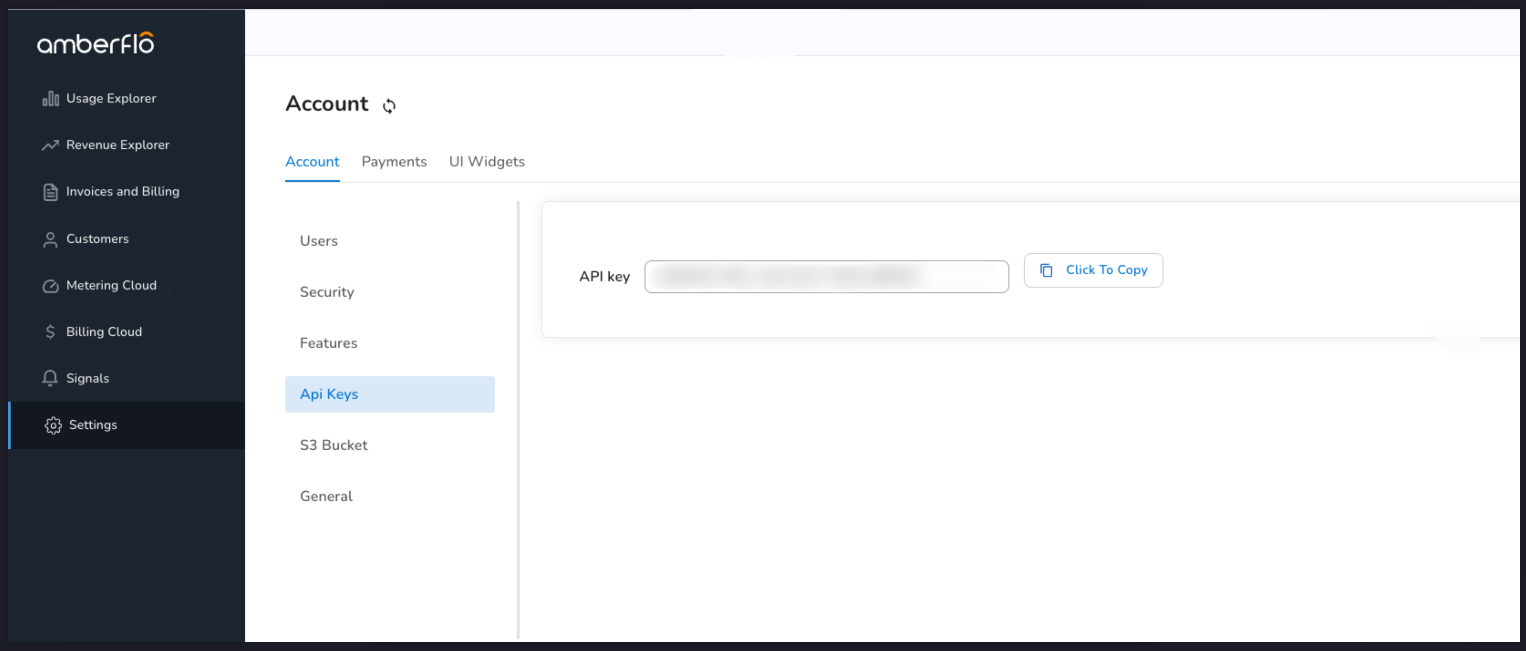
You can get X-API-KEY from Amberflo site inside Settings -> Account -> API keys.
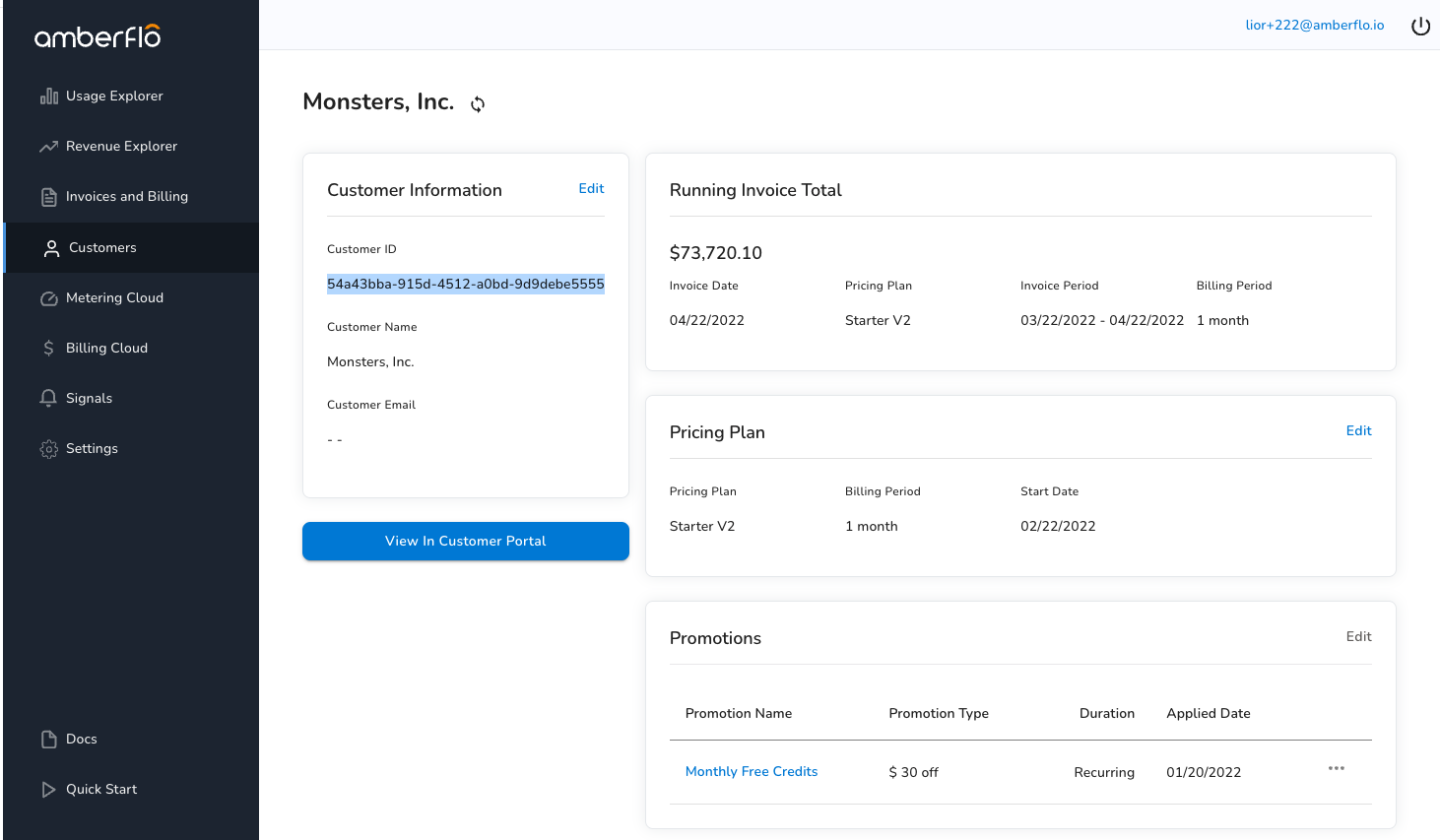
You can also get the customerId from Amberflo site inside Customers → Click on a customer → Copy Customer ID.
This example demonstrate how to fetch the session token with JavaScript in the client side:
const response = fetch('/amberflo-session').then(function(response) {
  return response.json();
}).then(function(responseJSON) {
  const sessionToken = responseJson.sessionToken
})